The useful part
Add your domain to Search Console, check the Performance report monthly to see which searches bring visitors, and look at the Pages report for anything Google cannot show.
What it is, in plain words
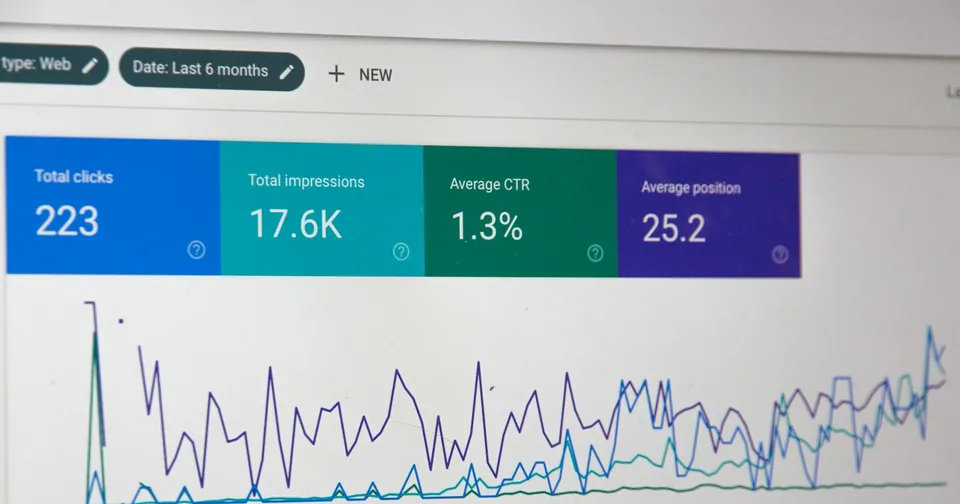
Think of it as a monthly letter from Google about your website. It tells you which searches showed your site, how many people clicked, which pages Google knows about, and any problems it found, such as pages it cannot reach or security issues.
It is free, and it is the only place to get this information directly from Google.
Setting it up
- Go to Google Search Console and sign in with a Google account the business controls.
- Choose Domain and type your domain, such as yourbusiness.rw. This covers every version of your site at once.
- Google gives you a short text record. Add it to your domain settings, where your domain is managed.
- Click Verify. Data starts to appear over the following days.
Three reports worth checking monthly
| Report | What it tells you |
|---|---|
| Performance | The searches that showed your site, how often, and how many people clicked. Google keeps the last 16 months. |
| Pages | Which of your pages Google has added to its results, and why others are missing. |
| Security and manual actions | Whether Google found hacking, malware or a penalty. It should say “no issues”. |
Turning it into action
- Find searches where you appear often but few people click. A clearer page title can help.
- Find searches you appear for at the bottom of page one or on page two. A better page on that topic can move you up.
- Fix pages Google says it cannot show, starting with your most important services.
After a redesign, watch the Pages report for errors. See redesigns without losing search traffic.
When to ask for help
Further reading
Official documentation behind the technical guidance in this article.